Adjust farm settings and notifications
Maintain operational defaults, document details, notifications, and the audit log.
Open in MilkSageChoose the right settings tab
Farm holds workspace identity, time zone, legal name, and contact details. Operations sets default pregnancy-check, gestation, and dry-off intervals. Milk sets the farm-wide daily target. Inventory controls default reorder and expiry warnings. Print controls paper size, farm logo visibility, and document footer.
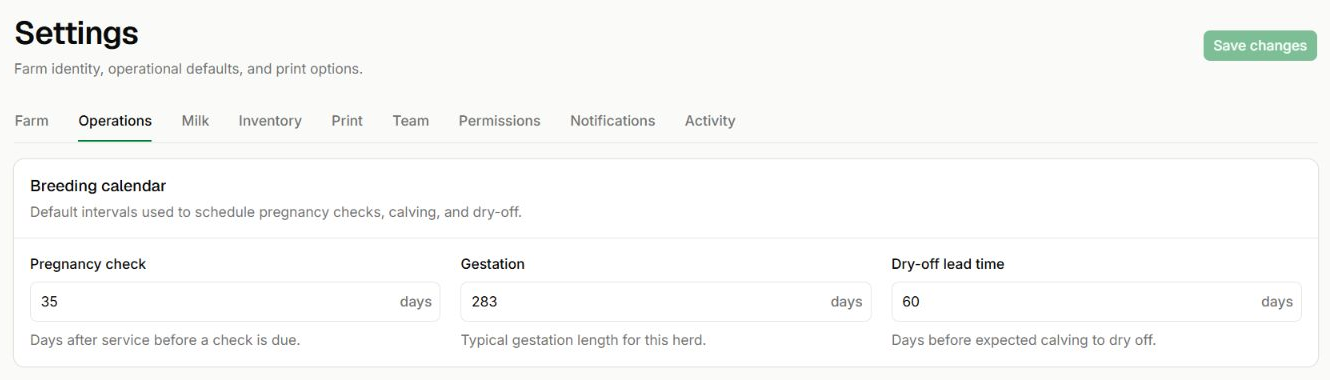
Review breeding calendar defaults
Settings → Operations · Existing sample-workspace values
- Pregnancy check is measured in days after service; Gestation is the interval used for the herd.
- Dry-off lead time is the number of days before expected calving. These are workspace settings, not care recommendations.
- Save changes is available after you edit a setting.
Save a change
- Open the relevant Settings tab and review the current values.
- Change the intended fields and use the section’s save action.
- Check any validation errors and confirm the values after saving.
Manage notices and trace changes
Notifications lets you choose which farm notices you receive and mark the inbox read. Activity shows audited farm changes, including membership, record updates, and corrections. Use it to investigate who changed a record and when.
Related guides
Invite your team and manage access
Add members and control the actions each role can perform.
Follow breeding and reproductive events
Record breeding activity and follow pregnancy checks, dry-off, and calving dates.
Review milk quality and targets
Keep quality measurements and expected daily yields alongside production.