Your whole dairy farm.One clear view.
From the first milking to the final accounts. Your herd, production and daily work together in one thoughtful workspace.
- Milk to accounts in one place
- On the phone and the desktop
- Built around the dairy day
Start the day knowing
what needs attention.
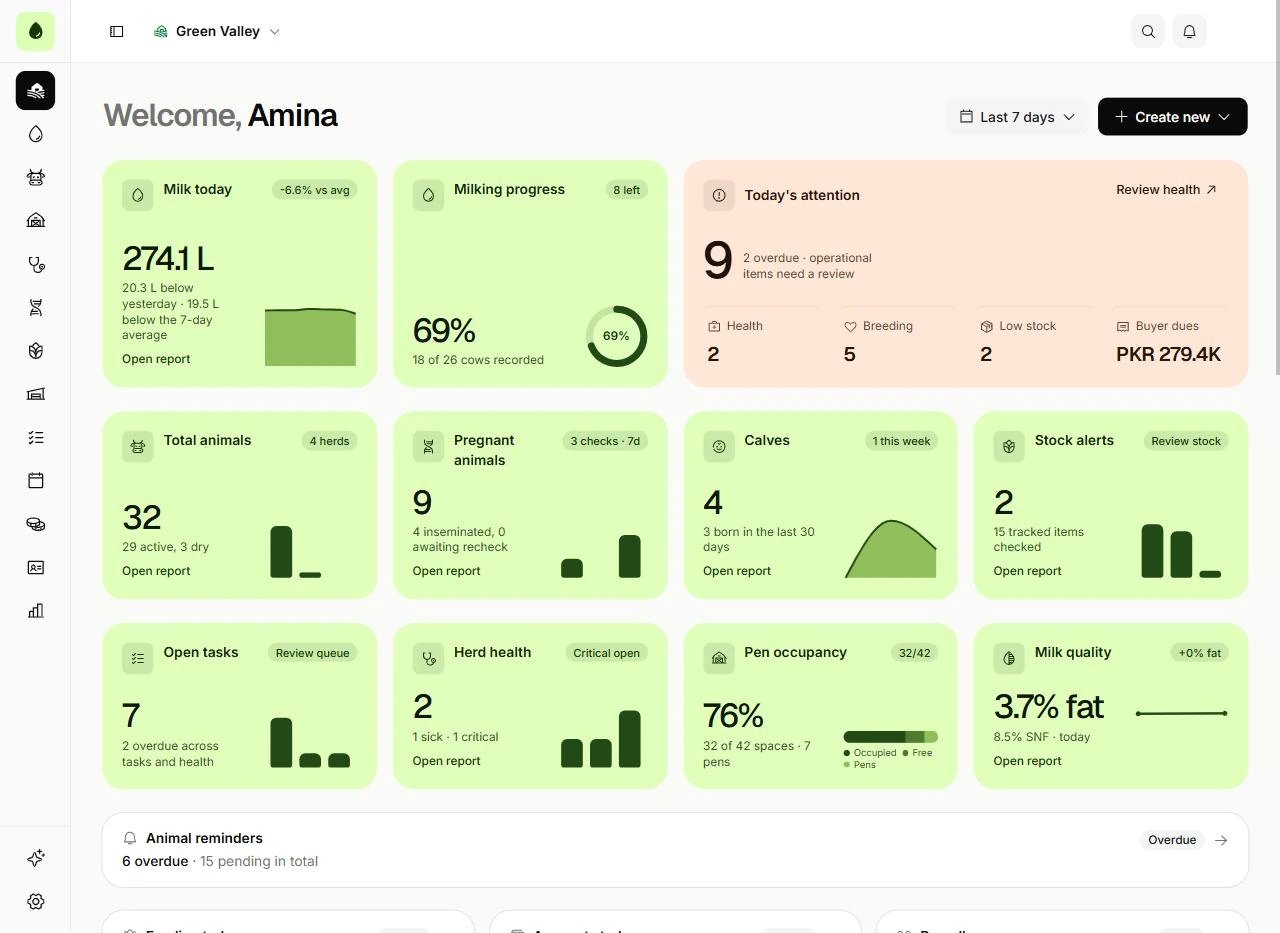
Milk in the tank, care on the calendar and a team with a plan. The overview puts the work that matters on one screen before the first cow comes in.
Milk today
Litres in the tank so far, set against yesterday and your seven-day average.
Milking progress
How many cows are recorded this session, and how many are still to come.
Today’s attention
Health, breeding, low stock and buyer dues that need a decision today.
Stock alerts
Feed, medicine and other stock running low, before it runs out.
Shown with the sample farm workspace, Green Valley.Open your farm workspace
From the first milking to the final accounts.
Four areas of the farm, one workspace. Everything has a place and everything stays connected.
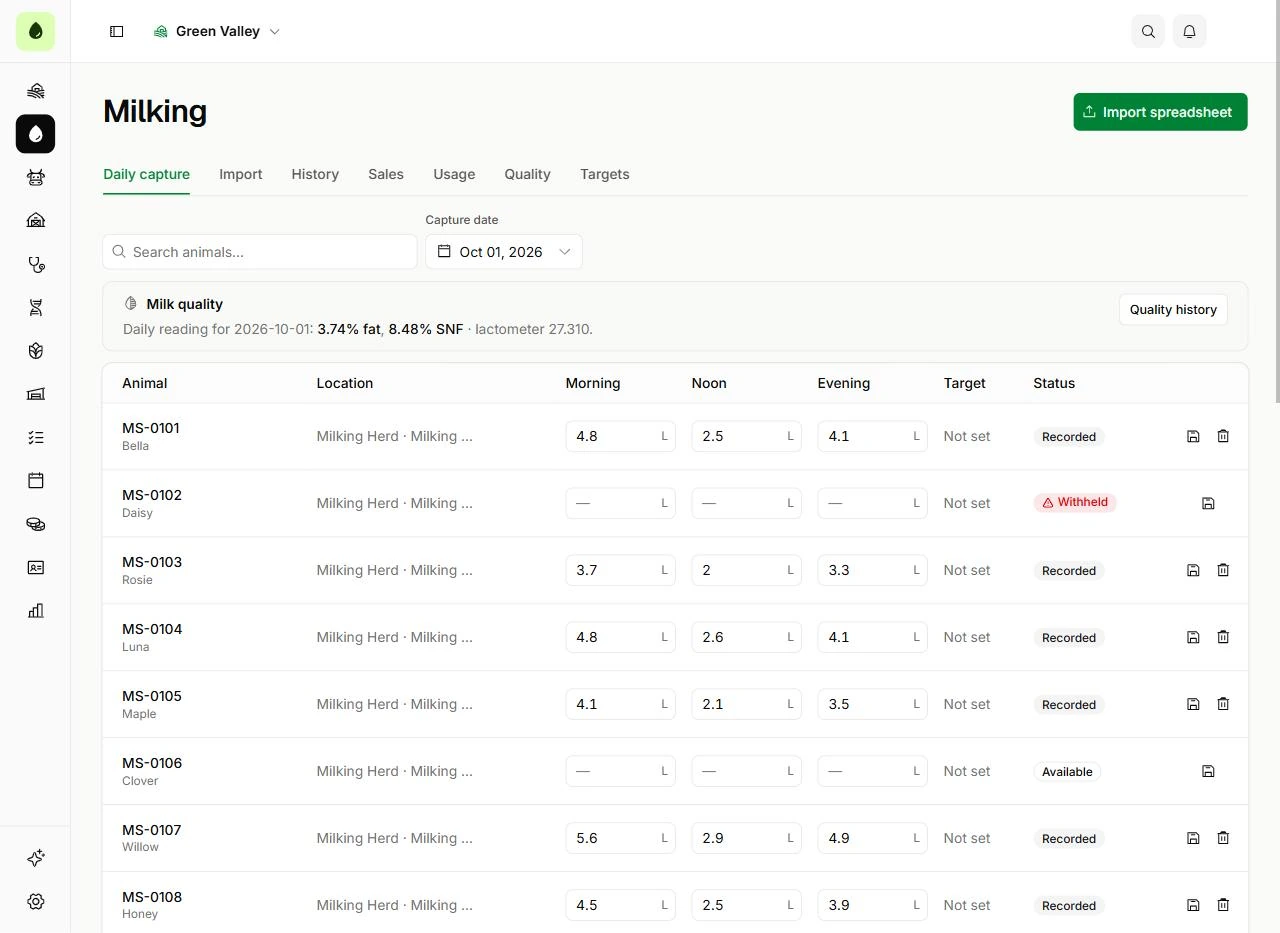
Capture the daily detail and keep sight of the whole operation. From the first session to sales and quality, your milk records belong together.
- Morning, noon and evening capture
- Production history, quality and targets
- Milk sales and usage records
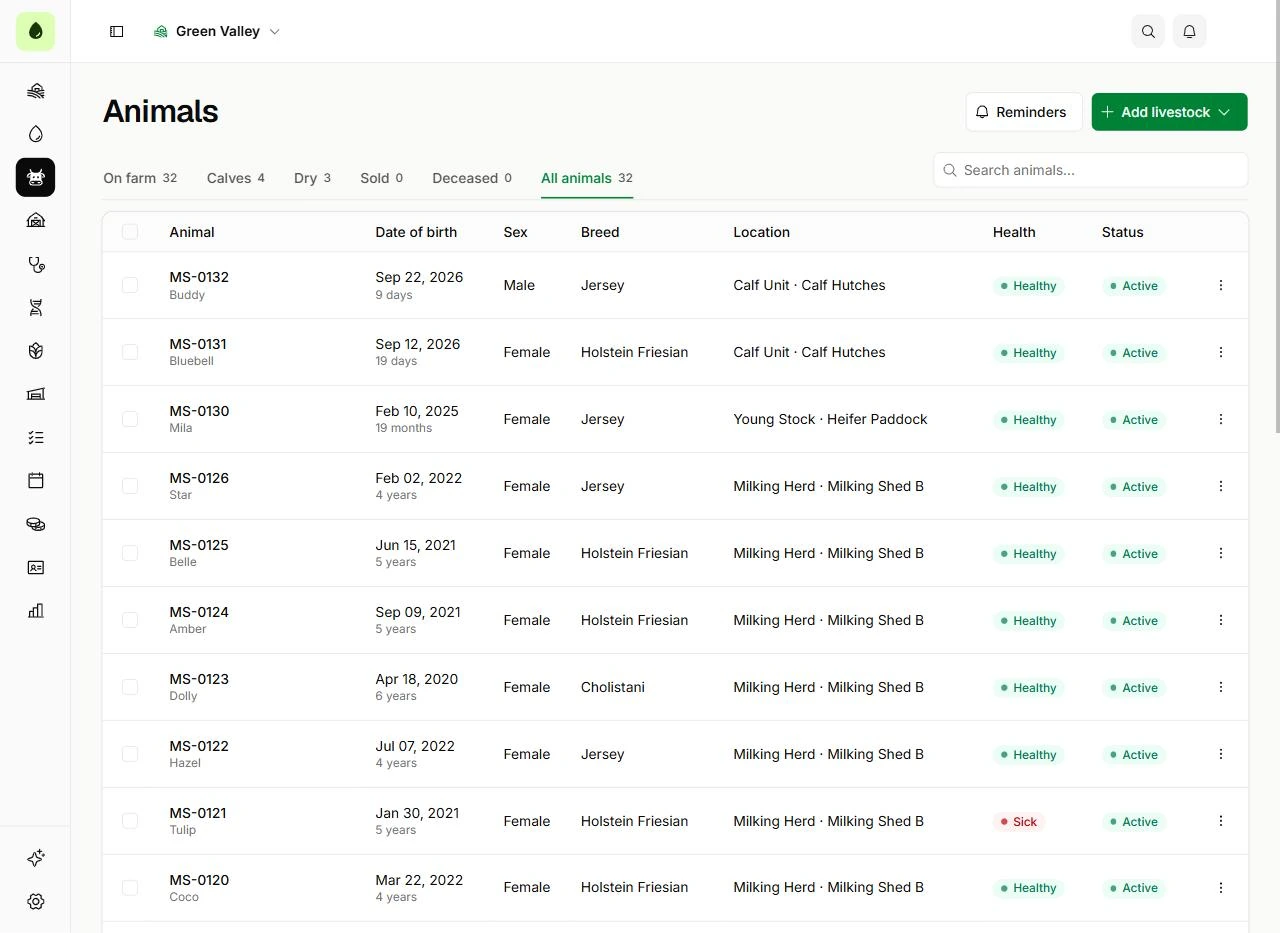
Give every animal a place in your records. Keep herd organisation, care events and breeding milestones within reach of the people doing the work.
- Animal registry, calves, herds and pens
- Health events and care schedules
- Pregnancy, dry-off and calving follow-ups
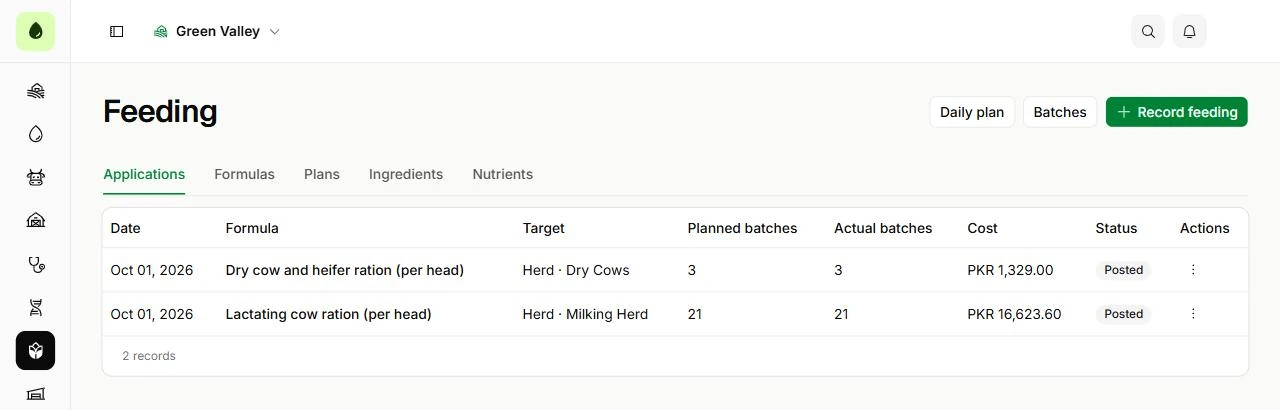
Bring ingredients, formulas and feeding records into the same picture as your inventory. See what goes into the day, and what needs replenishing.
- Feed formulas, ingredients and nutrients
- Daily plans and feeding applications
- Stock movements, suppliers and alerts
Bring farm administration closer to the work on the ground. Coordinate tasks and keep attendance, payroll, accounts and reports in one workspace.
- Tasks, schedules and attendance
- Pay runs and employee advances
- Accounts, ledgers and farm reports
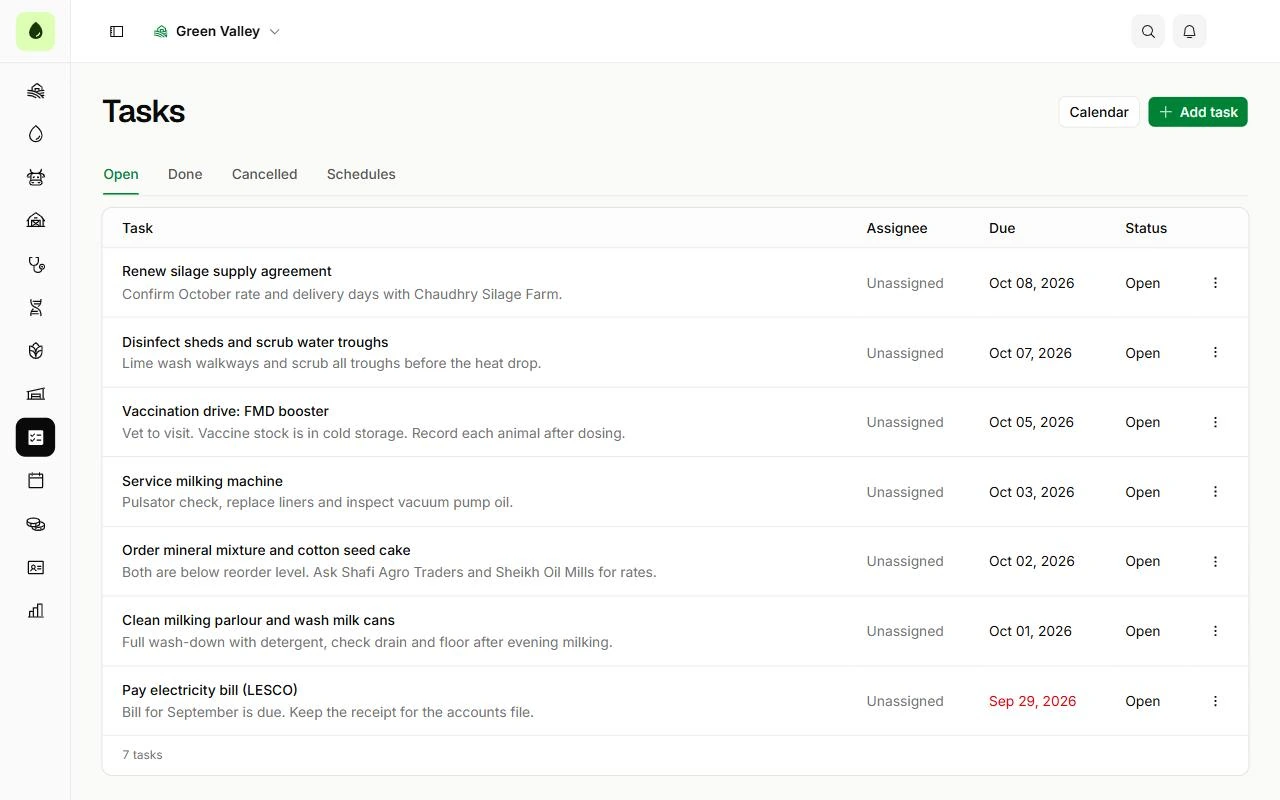
Less piecing together.
More moving forward.
A clear overview, useful daily records and a picture you can come back to. MilkSage follows the shape of the farm day.
Morning
Review the farm
Start with production, upcoming work and the things that need attention.
Overview
Through the day
Record the work
Capture milk, care, feeding and tasks as the working day unfolds.
Milk records · Health · Feeding · Tasks
Evening
See the bigger picture
Return to your overview and reports to follow activity across the farm.
Overview · Reports
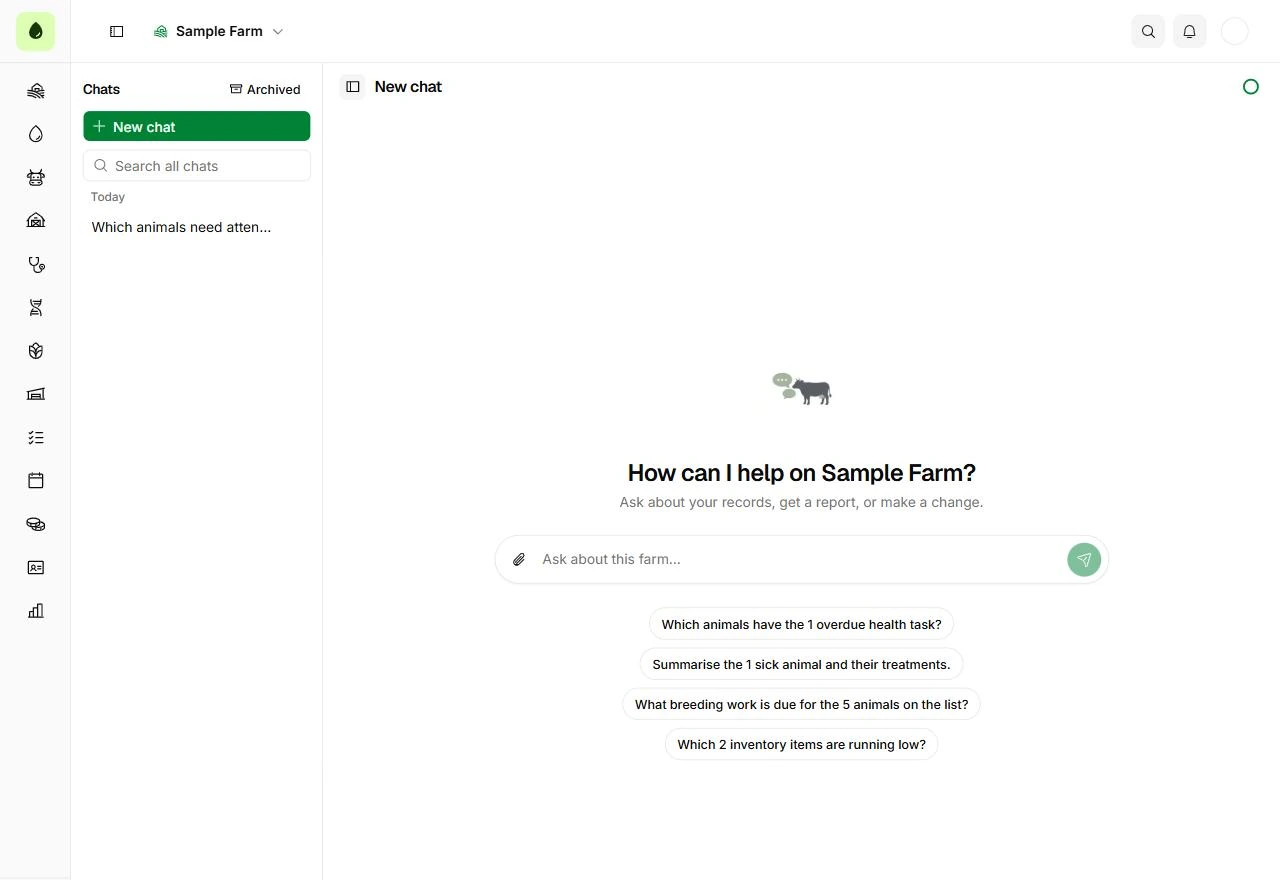
A place to ask
about your farm.
Start a conversation with the MilkSage assistant about the farm you are working on, in your own words.
- Which animals need attention today?
- How are my herds and pens organised?
- Give me a status report for one animal.
Good questions.
Clear answers.
A little more about bringing your farm into MilkSage.
Looking for step-by-step help?
The help center walks through setup, milk records, herd care, feeding, payroll and reports.
Visit the help centerMilkSage brings together milk records, animals, herds and pens, health, breeding, feeding, inventory, tasks, accounts, payroll and reports. The overview shows the day’s activity and the work needing attention.
Bring your farm’s
day into focus.
Your herd, your people and your next chapter, together in one workspace.
Your first hour
Create your farm
Name it and set its time zone and currency.
Add herds and animals
Create herds and pens, then register your animals.
Invite your team
Give each person the access their work needs.