Feed & inventory
Build feed formulas
Define ingredients and the quantities needed for one batch.
Open in MilkSagePrepare the ingredients
Review Feeding → Ingredients and Nutrients, and make sure the required inventory items and stock exist. A formula describes a recipe; it does not by itself record feeding or deduct stock.
Create the recipe
- Open Feeding → Formulas and start a new formula.
- Name the formula so the team can distinguish it from other recipes.
- Add the ingredient lines and quantities requested for one batch, checking the units.
- Save and review the formula before using it in a plan or application.
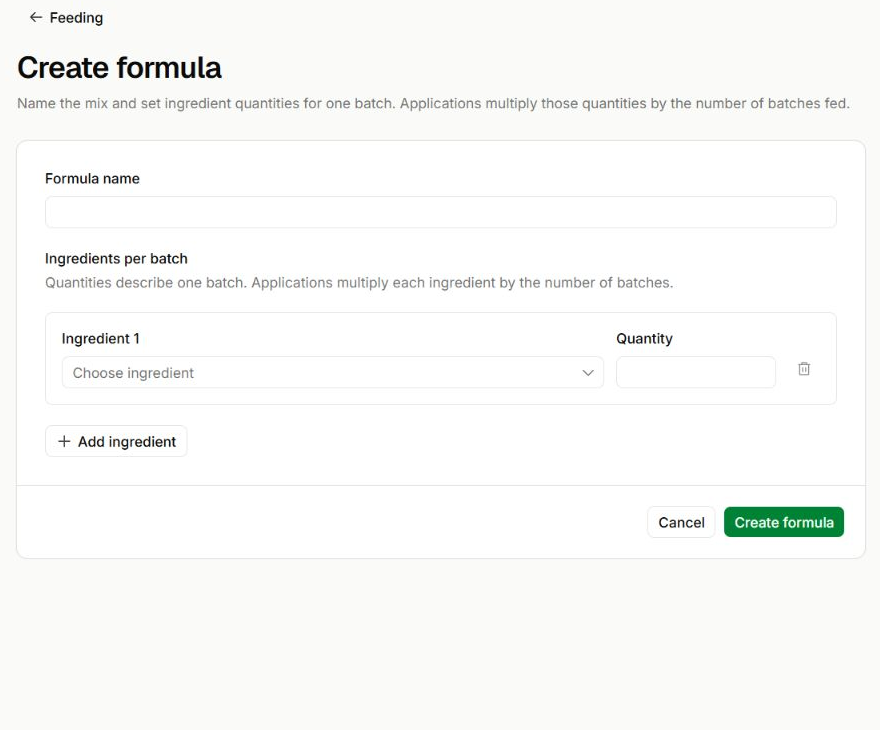
Define the ingredients for one batch
Feeding → Create formula
- Enter a clear Formula name, then choose each ingredient and its quantity.
- Add ingredient creates another recipe line. Quantities here are per batch, not the total for every future feeding.
Record a prepared batch
The feed batches page lets you choose a formula and record its preparation quantity using Record preparation. Preparing a batch and consuming feed are separate operations; use the corresponding feeding workflow to record consumption.