Feed & inventory
Reserve, post, and reverse feeding
Review ingredient requirements before recording actual consumption.
Open in MilkSageCreate an application
- Start a feeding application and choose a formula or a plan as the source.
- Choose the target and operational date, then enter the batch quantity requested by the form.
- Choose whether to reserve feed for planned work or post actual feeding.
- Select Review requirements and inspect ingredient quantities, availability, and costs.
- Choose Reserve feed or Post feeding once the preview matches the intended work.
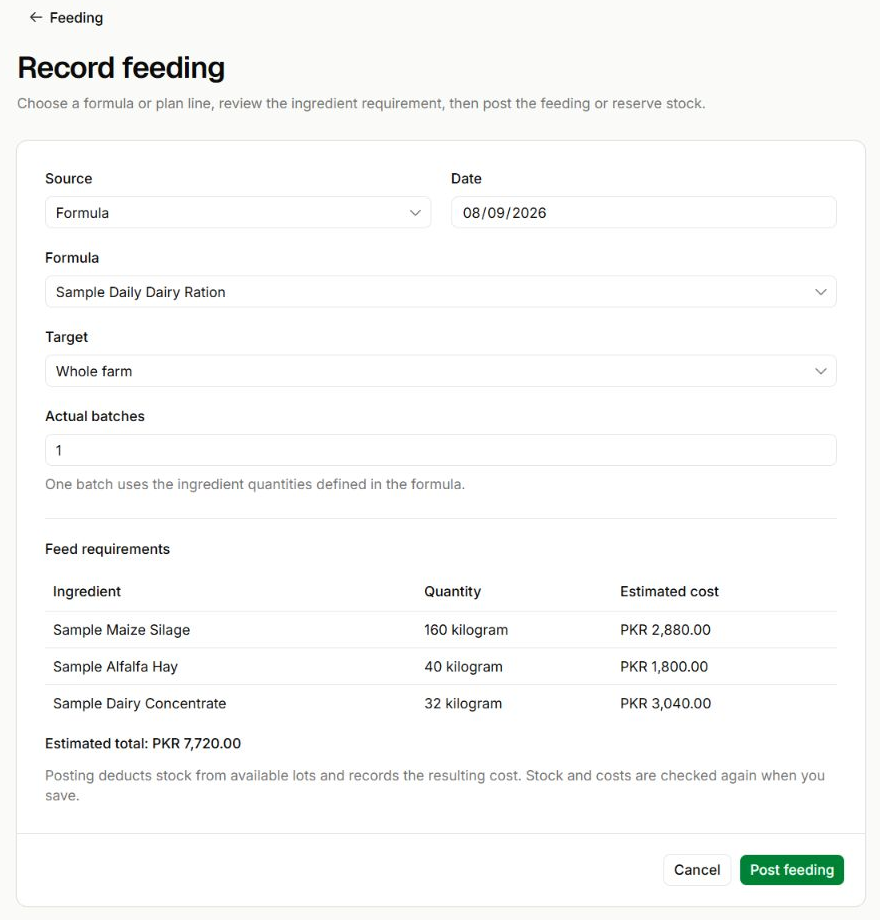
Review requirements before posting
Record feeding · Preview using a sample formula
- Source, Formula, Target, and Date define what will be fed and where.
- Actual batches multiplies every quantity in the formula. Here, one batch produces the listed ingredient requirements.
- Review quantities and estimated costs before Post feeding. The app checks stock and costs again when saving.
Post a reservation
- Open Feeding → Applications and find the planned application.
- Use Post actual feeding and enter Actual batches.
- Post on or after the reservation’s date. Posting consumes the reservation and deducts the actual ingredient quantities.
- Review planned batches, actual batches, variance, inventory cost, and stock movements in the application details.
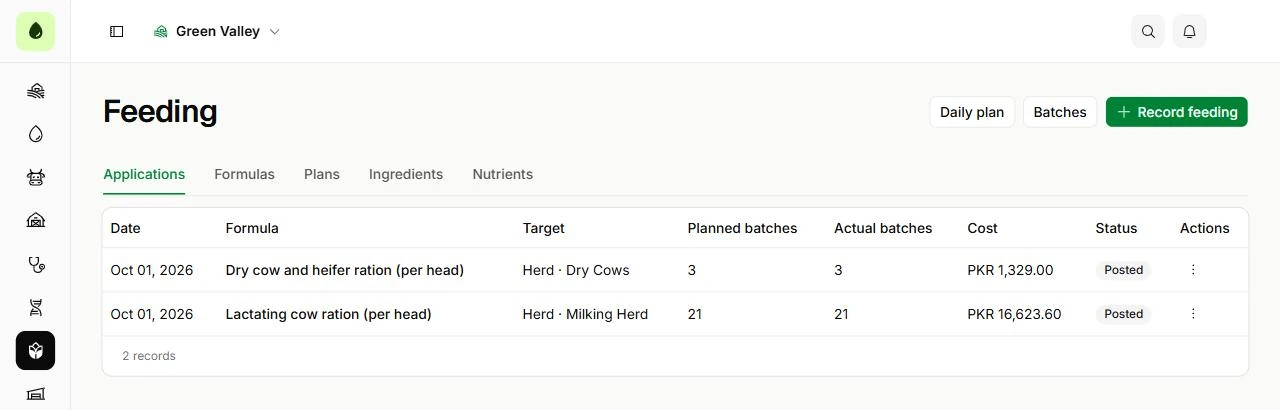
Find recorded applications
Feeding → Applications · Sample records
- Check the operational date, formula, target, and status before opening an application.
- Use the record’s available actions for posting a reservation, cancelling it, or reversing a posted application.
Cancel or reverse
Cancel reservation releases reserved ingredients and retains the cancelled application in history. Reverse application restores stock deducted by a posted application and preserves its history. Enter a valid reversal date between the application date and today.